When the employee file is scattered, everything else slips.
From identity details to the employment contract, from assets to document expiry, every record about an employee sits in one place. Payroll, leave and filings all read from it.
Where is the document the inspector asked for?
- The contract sits in one folder, the ID copy in another file, the medical report with nobody.
- Licences, medical reports and OHS certificates expire and nobody is told.
- Who reports to whom, which post is vacant, where an approval should go is unclear.
- Nobody knows who holds personal data, for how long, or whether it should be erased.
The whole record of an employee on one card.
More than fifty fields
Identity, contact, bank, education, family, disability status, military service and contract details live on the same card. Payroll and filings feed from here.
Contracts and paperwork
Fixed and indefinite term contracts, addenda, confidentiality undertakings and notices attach to the employee record with version history.
Expiring document alerts
Time limited documents such as licences, medical reports, OHS training and work permits raise an alert in advance. Expired ones are listed separately.
Org chart
Departments, positions and reporting lines are defined. Approval queues follow that structure, so authority is never left dangling when someone leaves.
Identity validation
The national identity number is checked algorithmically, so a typo is caught before it reaches a filing.
Asset register
Phones, laptops, vehicles and cards are assigned to employees. The return list is produced automatically on exit.
Field level permissions
Sensitive fields such as salary, health and contact details can be hidden by role. Who viewed which field is recorded.
Retention and erasure
Personal data is tied to a retention period; expired records fall into the erasure list. Digital erasure runs automatically, paper erasure waits for human approval.
Who is where, and in what state.
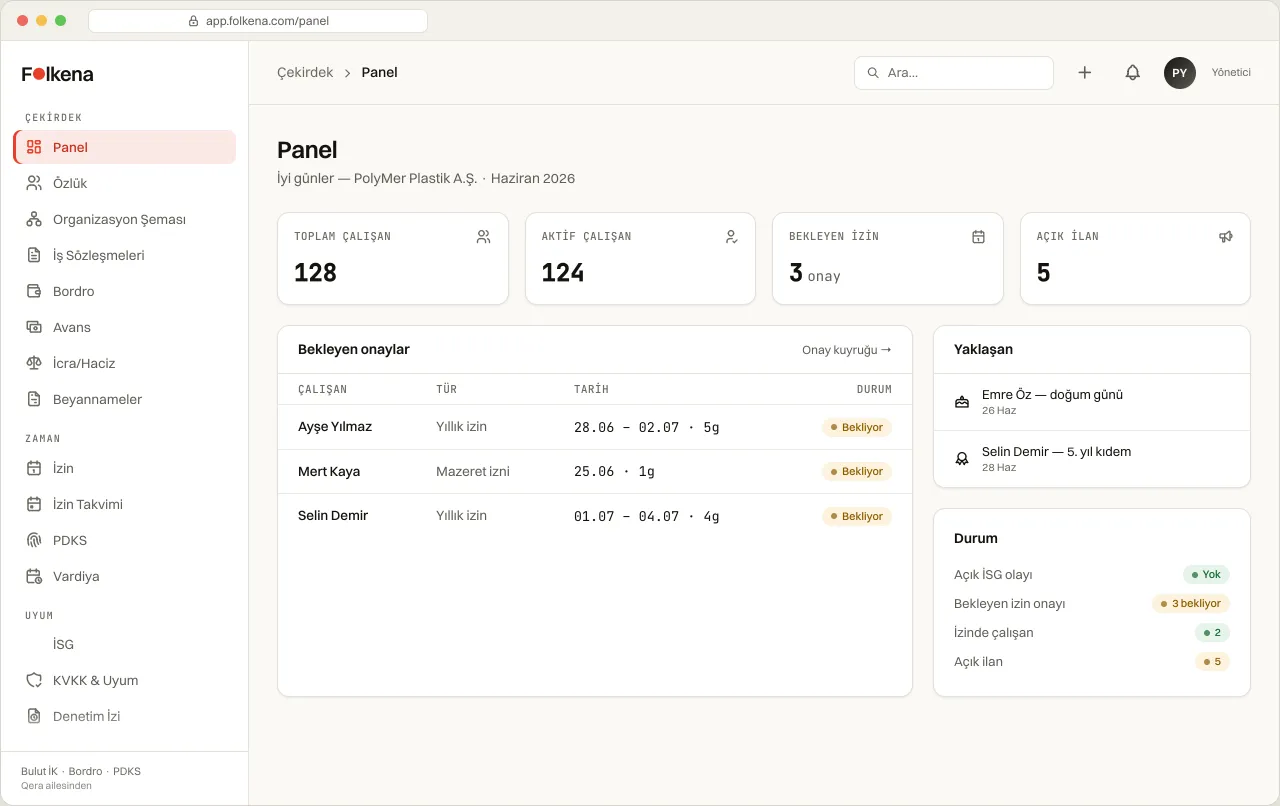
Total and active headcount, pending approvals, upcoming anniversaries and open postings on one screen.
What the law requires of a personnel file
An employer must keep a personnel file for every worker and produce it when the authorities ask.
- LL art.75The employer keeps a personnel file for each employee holding identity details and documents required by law.
- LL art.8An employment contract of one year or longer is made in writing.
- DPL art.4Personal data is kept connected to its purpose, limited and proportionate.
- DPL art.7Data whose ground for processing has ceased is erased, destroyed or anonymised.
- DPL art.12The controller takes the measures needed to prevent unlawful access to personal data.
- SSL art.100The social security authority may request any information or document about an employee.
Questions about People and Org.
Is a digital personnel file legally sufficient?
The law requires the file to be kept and produced on request; it does not prescribe a format. Documents needing a wet signature are still kept in original, and Folkena records the scan and where the original is held.
How do we migrate existing files?
The employee list is imported in bulk and documents are attached to each record. The scope depends on headcount and is planned together in the demo.
Can employees update their own details?
Fields such as address, phone and bank details can be submitted through the employee portal. The change is not written to the record until HR approves it.
How long is a leaver's data kept?
A retention period is defined per data type. When it expires the record falls into the erasure list; digital erasure is automatic, paper documents wait for human approval.
Let us put your personnel files in order.
In the demo we look at how your existing records would migrate and what is missing.